

Watch Tower · WHAT YOU GET

Applied Intelligence for your Business.

In your first four weeks we set your business up in your own Watch Tower Console with you: your team added, your goals and KPIs set, your assets registered and on one map, and a work tracker your people use every week. Then we stay, and review it with you every week.

Try the demoSee the plansYour first four weeks

FIG. 1 · YOUR BUSINESS ON ONE MAPWatch Tower · NORVENTUS
A maroon tractor pulls a tarp-covered semi-trailer along Interstate 5 near Bellingham, Washington.
Photo: Ewkada (cropped) · CC BY 3.0
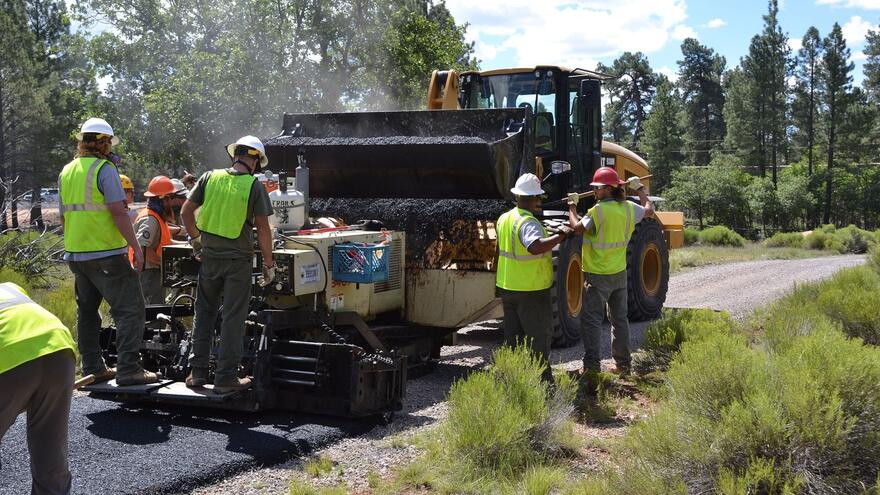
A crew in hard hats and safety vests works beside a paving machine as a front loader refills it with asphalt in Arizona.
Photo: Grand Canyon National Park (cropped) · CC BY 2.0
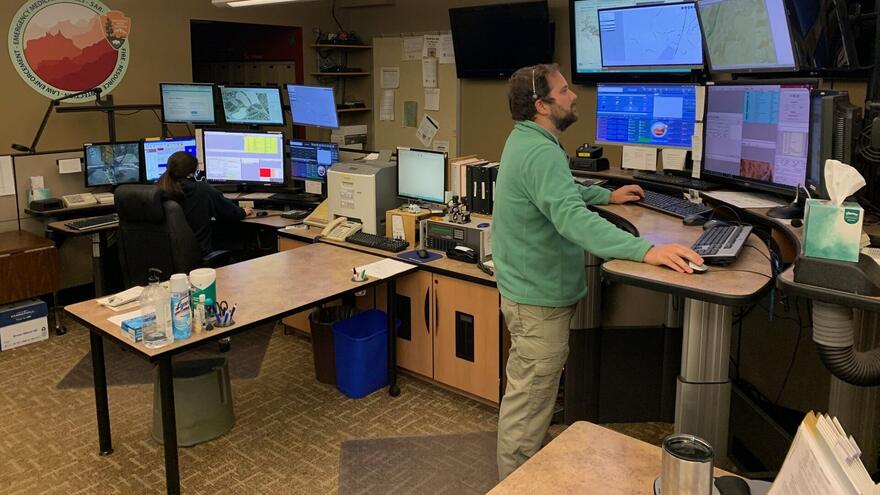
Two dispatchers work at desks lined with monitors and maps at a regional communications center in Arizona.
Photo: Grand Canyon National Park (cropped) · Public domain

Your first four weeks

  1. WEEK 1 · THE TEAMWatch Tower · NORVENTUSWeek 1

    Your team and your starting point

    • Your workspace opens and your team is added, each person with the access their role needs.
    • A 60-minute online kickoff with Adi: the one goal that matters most this quarter, in your words.
    • Your first records taken in (spreadsheets, or exports from your TMS, ELD, ERP or job-cost system), with a written list of what is there and what is missing.

    You: Name one owner, send the team list and the records you have, and join the kickoff.

    Team · crosses Intent

  2. WEEK 2 · GOALS AND KPISWatch Tower · NORVENTUSWeek 2

    Goals and KPIs

    • Three to five goals agreed with you, each with one KPI.
    • Every KPI written out: its definition, the record it comes from, the period, where it stands today, and the assumptions behind the number.
    • Guardrails: the numbers that must not get worse while you work on the goal.

    You: Review the goals and KPIs with us and correct anything that doesn't match how the work really runs.

    System design + Curation · crosses Use

  3. WEEK 3 · ON ONE MAPWatch Tower · NORVENTUSWeek 3

    Assets registered, on one map

    • Your sites, vehicles, equipment and people in the Vulcan asset register, imported from your files.
    • Talos Base: your business on one US map, with its sites, assets and boundaries.
    • Your organization chart, so every asset and KPI has an owner.

    You: Check the register and the map, and tell us what's wrong or missing.

    System design + Curation · crosses Capability

  4. WEEK 4 · TRACKER AND BRIEFWatch Tower · NORVENTUSWeek 4

    The work runs, and your first brief

    • The work tracker running: each action behind a goal is a card with an owner, a due date and the assets it touches.
    • Bifrost answers your team's questions about your own records.
    • Your first brief: goals, KPIs with their assumptions, options with guardrails, and a 30-day agenda (see the sample).
    • The first weekly review, at a time we agree, which carries on every week after.

    You: Hold the first weekly review with us and move the first cards.

    AI + Customer success · crosses Consistency

The work tracker is the newest part of the Console. If it hasn't reached your workspace by week 4, we keep the same cards with you in your weekly brief and move them in when it arrives.

What you provide

  • One owner on your side, with about two hours a week for the first four weeks.
  • The one goal or decision that matters most this quarter.
  • The names and work emails of the people to add.
  • The records you already keep: a spreadsheet of sites, assets and people is enough to start; TMS, ELD, ERP or job-cost exports if you have them.
  • Your approval of what we may process, before we import anything.

After you pay

  1. When you order Pick a plan on /pricing and press Buy now. We ask for your name, work email and company.
  2. Within 1 working day Adi, COO at Norventus, emails your invoice.
  3. When you pay Your own workspace opens at once, with sample data to explore, and Adi emails within one working day to book the week-1 kickoff. Your own records go in as soon as you approve, in writing, what we may process.
  4. Weeks 1 to 4 We set it up with you, week by week, as above.
  5. From month two The monthly plan carries on with the weekly review. Cancel the monthly plan any time.

See a sample first

A brief for your industry, built from a fictional demo company's records: the biggest findings with every input, the KPI board and a 30-day plan.

All four on one page

THE HORIZON

Where your business could go

Every site, truck and job on one map is where it starts. From there you can see which lanes pay, where a new site would carry its weight and which work crosses a border. The lines show an example business run from Dallas; yours are drawn from your own places in the demo.

Draw your own in the demo

CANADA →MEXICO →EUROPE →ASIA-PACIFIC →DallasChicagoAtlantaDenverLos AngelesNewark

Pick your plan

Everyone starts on Know your business, which covers the four weeks above. Larger plans open more of the Console for more users and assets.

Two men review a drawing on the floor of a metal fabrication shop in Cleveland, Ohio, beside a press brake.Want a partner to set it up? Partner-deployed plans add hands-on setup: today our own team does it with you online, and deployment partners, such as accounting firms, ERP resellers and IT providers, join as they sign on. Your own adviser can become one. How deployment partners work →

Partner photo: Photo: Martin Brown / NASA, via the National Archives (cropped) · Public domain

Each truck, trailer or machine you want on the map counts as one moving asset. Plans hold up to 25. Running more? Pick Max, press Help me decide and tell us your fleet size; we size the plan with you before you pay.

FIG. F · FOUNDING 10Watch Tower · NORVENTUS

FEATURED · FOR THE FIRST TEN BUSINESSES

Founding 10

10 of 10 places left

$2,000 for setup and the first 3 months of Watch Tower, then $250/month.

We aim to have your own data in your workspace within 10 working days of receiving your files.

Know your business · SELF-DEPLOYED

See your whole business on one map, set up with you in four weeks.

Up to 5 users, 500 Vulcan assets, 50 organization members and 5 moving assets (placed from your records; connected GPS tracking isn't released yet). Nimbus is always included.

$1,000 to start, with instant access to Watch Tower. Then $250/month.

Hardware implementation is quoted separately.

How your data gets in. You approve what we may process first. Then we import your sites, assets and people from spreadsheets or exports from your TMS, ELD or ERP, and they're on your map.

We email your invoice within one working day. Pay by card or PayPal. Nothing renews or charges automatically: every month is an invoice you choose to pay. To cancel, don't pay the next one, or tell us at customers@norventus.com.

What your first year buys, next to one hire

Most owners weigh this against hiring an operations analyst to build the same picture by hand. Here are both first-year costs, with every assumption. Helps with Intent and Capability.

Know your business

$3,750 first year

The first payment, which covers month 1, plus 11 monthly payments, at the price shown above.

  • Your workspace set up with you in four weeks: team, goals and KPIs, assets on one map, a work tracker and your first brief.
  • A 60-minute kickoff, then a weekly review with us that carries on as long as you keep the plan.
  • Bifrost answers your team's questions about your own records.
  • Your side: one owner, about two hours a week for the first four weeks.

One operations analyst, full-time

$134,172 first year

Salary
$91,290
Benefits (29.8% of total cost)
$38,753
Recruiting, once
$4,129
  • One person's full working hours, on whatever you ask of them.
  • They still need the software, the data and a way of working to build the same picture.
  • Work starts after hiring: the average opening takes weeks to fill, then they learn your business.

Know your business's first year is about 3% of this hire's first-year cost. Neither figure is a promise of results: what you get back depends on the goal you pick and the work your team does.

When hiring is the better call. Hire when you need someone on site every day, or a full-time owner for more than one goal. Watch Tower then gives that person the system to work in, so the two add up rather than compete.

Where the hire's numbers come from
Compare plans: what Know your business opens, module by module

What Know your business opens

Opens Stays locked, unlock any time

STAGE

Know your business

  • Reconnaissance & baseline
  • Scope the target
  • Map & digitize
  • Command capability

STAGE

Protect the plan

  • Threat analysis
  • Vulnerability mapping
  • Perimeter reinforcement
  • Tactical guidance

STAGE

Grow with control

  • Market reconnaissance
  • Expansion mapping
  • Digitizing new verticals
  • Scaling with control

ENGINE

Vulcan

Every asset, digitized

  • Asset register
  • Organization chart
  • Bulk import
  • Moving assets

ENGINE

Bifrost

AI that knows your records

  • Bifrost Basic
  • Bifrost Base
  • Bifrost Pro
  • Bifrost Max

ENGINE

Talos

Your business on one US map

  • Talos Base
  • Talos Watch
  • Talos Rules
  • Talos Views
  • Talos Max

ENGINE

Nimbus

Access, audit and delivery

  • Access & Purposes
  • Audit trail
  • Changes & releases
How every plan is priced

Start

$1,000 first payment: instant access to Know your business, covering the first month. Then $250/month, with Nimbus, Vulcan, Bifrost Basic and Talos Base included.

Stages

  • Protect the plan: +$50/month · On request
  • Grow with control: +$50/month · On request

Bifrost (AI)

  • Bifrost Basic: included · 0.5M tokens a month
  • Bifrost Base: +$79/month · On request · 1.5M tokens a month
  • Bifrost Pro: +$199/month · On request · 3.5M tokens a month
  • Bifrost Max: +$449/month · On request · 8.5M tokens a month

Talos (the map)

  • Talos Base: included · Your business on one US map: sites, assets and boundaries
  • Talos Watch: +$25/month · On request · Radar: weather and road-travel alerts on your map
  • Talos Rules: +$50/month · On request · Rules that flag exceptions as soon as your records show them
  • Talos Views: +$75/month · On request · Saved views and exports for every team
  • Talos Max: +$100/month · On request · Moving assets on the map, from your records, and 360° object views (connected GPS tracking isn't released yet)

Deployment

Self-deployed: you set it up with our guides. Partner-deployed: 35% above self-deployed, for hands-on setup with you, by our own team online until deployment partners sign on (how partners work).

Hardware implementation is quoted separately. Prices are in US dollars, before tax.

Norventus is offered by Speedloop Technologies, a brand of Speedloop Auto Private Limited, India. Payments go only to the business accounts of Speedloop Technologies (Speedloop Auto Private Limited) on Razorpay and PayPal.